What counts as an active screen
How Billboard counts screens against your plan, which screens keep playing when you go over, and how to free one up.
Last updated 26 July 2026
Billboard is priced by how many screens you run at once, so it helps to know what a "screen" actually is and how it's counted. This guide covers what makes a screen active, what happens if you go over your plan, and how to free up a slot.
What is an active screen
A screen is one Apple TV connected to one of your galleries. It counts as active if it has checked in with Billboard in roughly the last 10 minutes.
Counting is automatic and server-side. There's nothing to set up or configure on the Apple TV. If a screen has checked in recently, it's active. If it hasn't, it drops out of the count on its own.
Several Apple TVs connected to the same gallery each count as a separate screen. Two TVs on one gallery is two active screens, not one.
How your plan sets the limit
Your plan sets how many screens can be active at once:
- Free allows 2 screens.
- Paid tiers allow more.
- Unlimited has no cap.
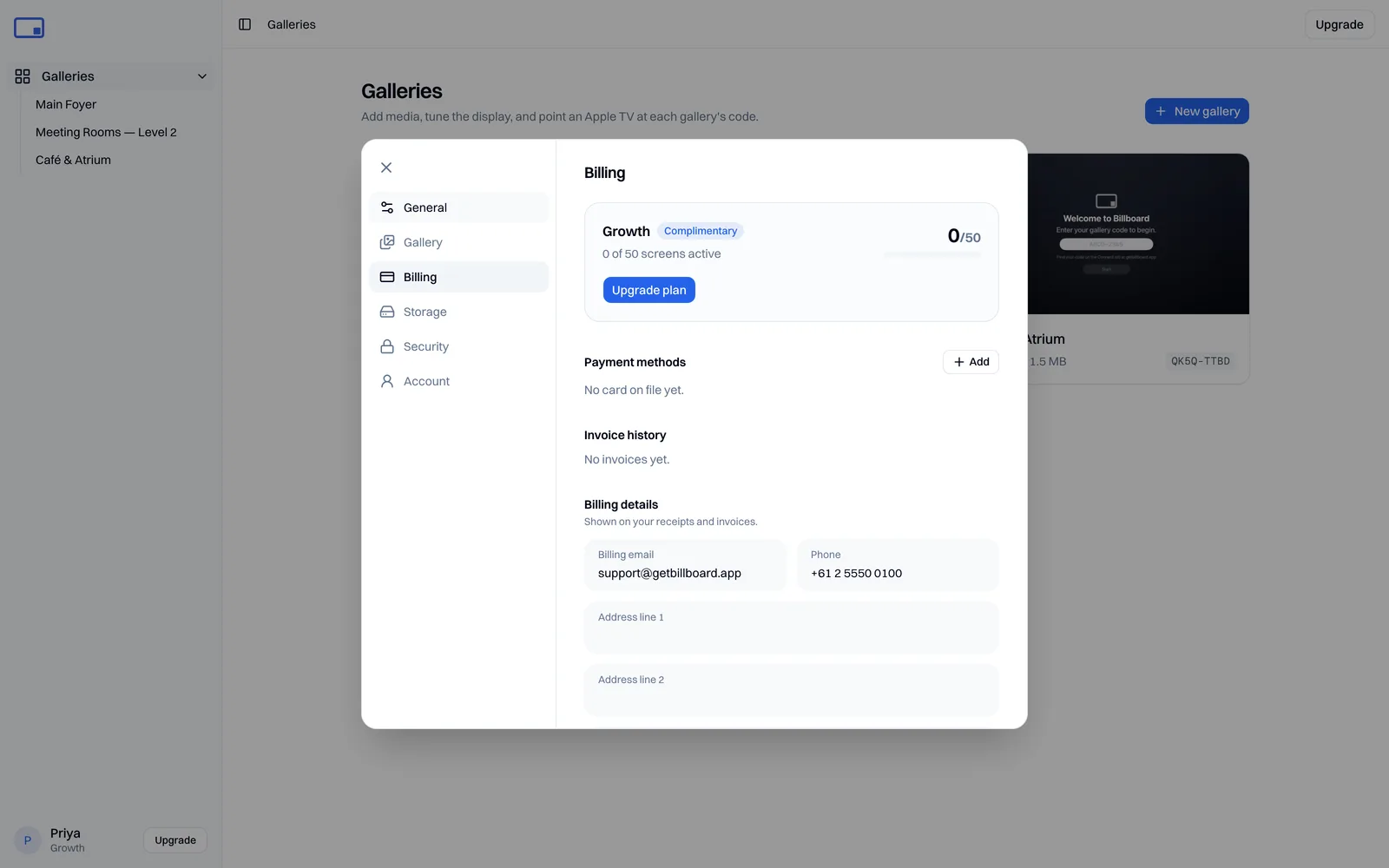
See Plans & billing for the current tiers. Your usage against the limit is shown on the billing page.
If you go over your limit
Going over is handled gently, and automatically. Nothing gets lost:
- The earliest-connected screens keep playing your content normally.
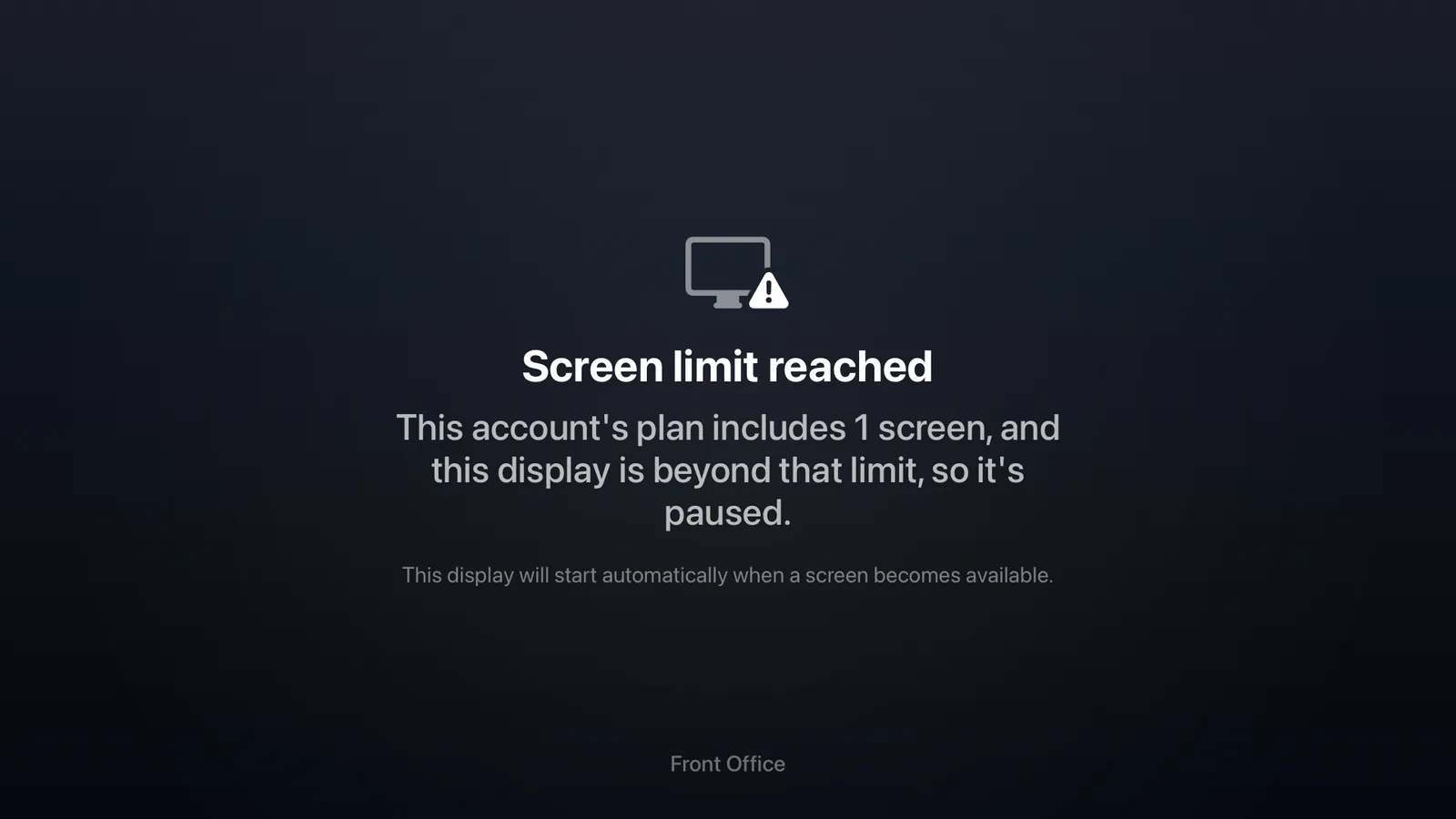
- Any screen beyond the limit shows a calm "paused" message instead of your content.
- A paused screen starts again on its own the moment a slot frees up. You never have to touch the Apple TV.
Freeing up a screen
To bring a paused screen back, free an active slot:
- Quit Billboard or unplug an Apple TV you're not using.
- After about 10 minutes it drops out of the active count.
- A paused screen automatically takes its place.
Or, if you need every screen live at once, move to a higher plan for more screens. See Plans & billing.
Why a screen might show "paused"
If a screen is showing the paused message, it's usually because you have more active screens than your plan allows, and this one connected after the others. Free a slot or upgrade, and it will resume on its own.
If a screen is paused when you're not over your limit, or won't come back after a slot frees up, see Troubleshooting or email support@getbillboard.app.